


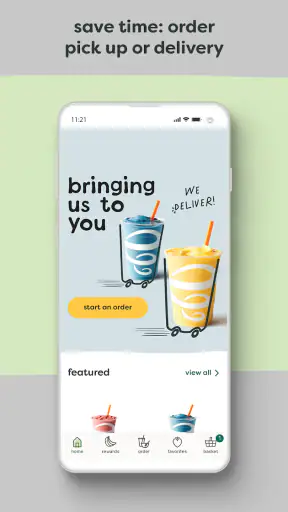
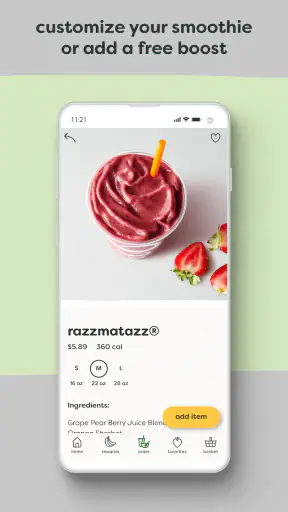
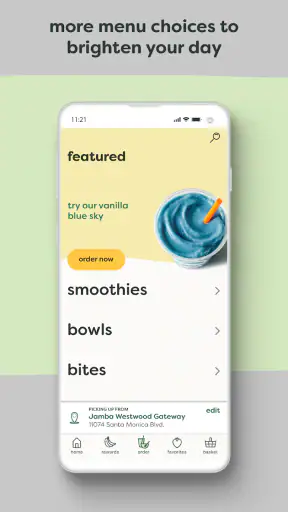
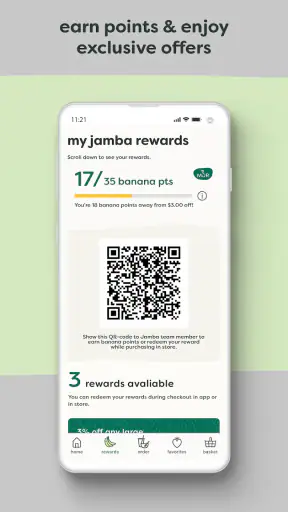
If you already visit Jamba for smoothies, bowls, or other drinks, the Jamba app is designed to make that routine quicker and easier to manage. I tried it as a practical Food & Drink companion rather than treating it like a digital menu, and its main value became clear almost immediately: I could look for a nearby location, place an order ahead, pay through the app, and keep track of rewards in one place. That combination is useful when I know what I want before I arrive.
The app comes from Jamba and is free to download, with an Everyone content rating. It has been around since November 5, 2014, so this is not a brand-new experiment that feels unfinished. The current version is 4.24 and requires iOS 11 or later. On the popularity side, it has an average rating of 4.4 from roughly 39 thousand ratings, with more than a million installs. Those figures suggest that plenty of customers use it as part of their normal Jamba visits, although popularity alone does not make every ordering experience perfect.
What to expect when you open Jamba
Jamba is best understood as a convenience tool for existing or potential Jamba customers. It is not a general restaurant-discovery service, a recipe app, or a broad grocery-ordering platform. The experience is centered on the Jamba locations and ordering options available through the app. That narrow focus is actually helpful: you are not digging through unrelated restaurants or trying to work out which parts of a large delivery marketplace apply to your visit.
The first screen should be approached with one question in mind: am I trying to find a store, order something, pay ahead, or build toward rewards? Those tasks are connected, but they are not identical. Someone who only wants to check where the nearest location is may finish quickly. Someone planning a customized order should slow down and review the selections before paying, because speed is only useful when the order is correct.
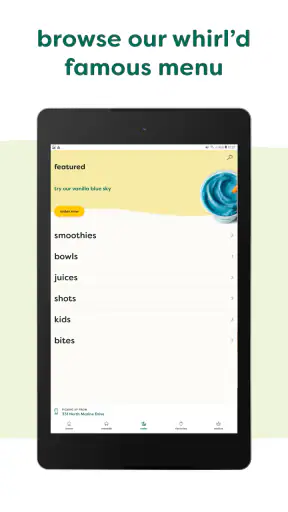
I like that the app brings the location search and ordering journey together. With the usual alternative of opening a browser, searching for Jamba, checking a map, and then deciding whether to order at the counter, the process can become scattered. Here, the intended path is more direct. The trade-off is that the app is much less useful if you do not have a Jamba location that fits your route or if you prefer comparing many restaurants in one place.
The reward element also changes how I would use it. If I visit only once while traveling, the location and ordering tools matter more than account-based loyalty. If Jamba is part of my regular breakfast or afternoon routine, keeping rewards in the same place as payment gives me a reason to return to the app instead of ordering as a guest through another channel. I would not install it solely because every customer needs a rewards program, but regular visitors have more to gain.
Getting ready for the first visit
After installing it, I would begin by allowing myself enough time to look around before standing outside a store. The most reassuring first step is to find a location and check that it is the one I actually intend to use. This matters more than it sounds when several stores are near a workplace, shopping area, or highway route. A small location mistake can turn a convenient order into a frustrating pickup.
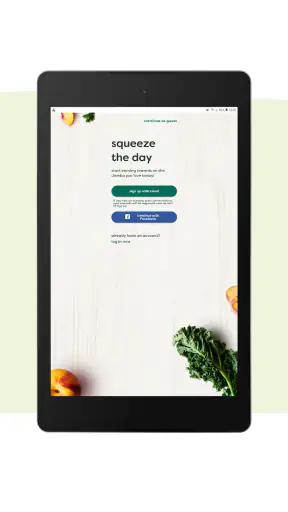
Next, I would sign in or create the account path offered in the app before building a complicated order. The reason is practical: payment and rewards are central to the experience, and setting them up while relaxed is easier than doing it while hungry or late for work. I would also check that the selected store remains the active location before moving through the menu. The app is meant to reduce decisions at pickup, not make you repeat them there.
A useful first-time habit is to treat the opening order as a test, not as a large group purchase. Choose something familiar, select the location carefully, and review the final details. This lets you learn how the app presents the order and payment steps without risking several people’s meals. Once that basic route feels comfortable, ordering for a family or office becomes less stressful.
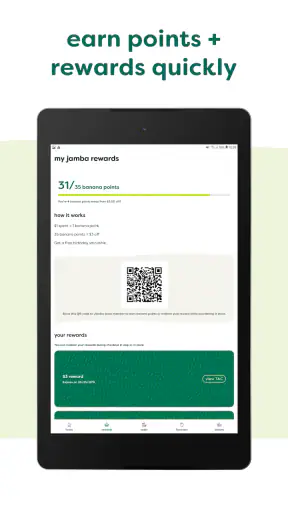
Rewards deserve attention during setup because they are easy to overlook when the immediate goal is simply getting a smoothie. I would make sure the account used for ordering is the same one I expect to use on later visits. That creates a cleaner record of activity than switching between different sign-in methods. It is one of those small organizational choices that saves confusion later, especially for people who use more than one phone or frequently reinstall apps.
Making the first successful order
For a first meaningful success, I would choose a Jamba location, select a straightforward item, confirm the order details, and pay ahead. The important point is not merely tapping through the menu. The successful moment comes when the order is connected to the correct store and I know what I need to do after arriving. A few seconds spent checking those details can be more valuable than rushing through the checkout.
Paying ahead is most useful when I can predict my arrival time. For example, imagine leaving work during a short break and wanting a smoothie before catching a bus. I could choose the nearby Jamba location in advance, place the order while still at my desk, and head there only after the order is ready for my planned stop. That is a better use of the app than ordering far too early and then worrying about timing.
The same workflow can help on a busy morning, but I would avoid treating it as a guarantee that there will never be a wait. A digital order reduces the time spent explaining and paying at the counter; it does not remove the need to arrive at the right store or account for preparation. I would keep the confirmation available until pickup, particularly on a first visit, so I can resolve any mismatch quickly.
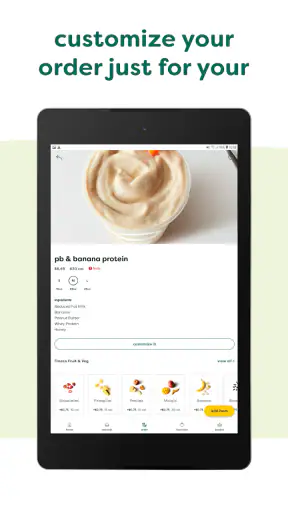
Before completing payment, I would check four things: the store, the selected items, any choices or adjustments shown on screen, and the account receiving the reward activity. This is my most important practical tip. A fast checkout is not automatically a good checkout. Reviewing the order once is especially worthwhile when ordering for another person, because a small misunderstanding about a flavor or ingredient can be harder to fix after preparation.
For a group order, I would build it only after learning the individual ordering flow. The app may be convenient for several items, but group orders increase the cost of selecting the wrong location or missing a detail. I would also keep the pickup plan simple: one person should know the order name or account details and collect everything together. That avoids several people arriving separately and creating uncertainty about what has already been collected.
Where first-time users may hesitate
The most common confusion is likely to come from the difference between finding a location and ordering from that location. Seeing a nearby store does not mean it is automatically the store attached to the order. I would always confirm the active location during the order process, even if the app initially found the correct one. This is a small step, but it is the kind of detail that separates a smooth pickup from an unnecessary detour.
Another point that can confuse people is the relationship between ordering ahead and arriving immediately. The app makes advance payment convenient, but the best timing depends on your route and the store you selected. I would not place an order while still far away unless I had a clear reason to do so. For a short commute, ordering shortly before leaving is more sensible than ordering as soon as I wake up.
Rewards can also create uncertainty if you think of them as an instant discount on every transaction. I see them more as a reason to keep using the app consistently. The practical question is whether your account is being used each time you want the visit associated with your rewards activity. If you switch accounts or use a different ordering method, your personal tracking may not feel as tidy.
Payment is another area where patience helps. I would not assume that a successful tap on the final button means I can immediately close the app and forget everything. Keeping the order confirmation accessible is sensible until the pickup is complete. If something looks wrong, it is much easier to refer to the order information than to reconstruct what happened from memory.
There is also a broader limitation: the app is not a replacement for browsing every possible food option nearby. If I am undecided between Jamba and several other restaurants, a map or delivery marketplace may be better for comparison. Jamba is strongest after I have already chosen Jamba. That distinction is important for first-time users who expect a general-purpose food-ordering app.
Small habits that make the app more useful
My first useful habit would be separating “location checking” from “ordering now.” If I am planning tomorrow’s commute, I can use the app to understand which Jamba store fits the route without immediately paying. Then, when the visit is actually close, I can start a fresh order and verify the location again. This two-stage approach reduces the chance of ordering too early simply because I was doing some initial planning.
My second tip is to use a familiar order as a calibration point. The first time, I would avoid combining a new menu choice with a new pickup location and a group purchase. Testing one variable at a time makes it easier to identify whether any friction comes from the menu, the store choice, payment, or the pickup process. After that, the app becomes much more comfortable for less predictable orders.
Third, I would make rewards part of my routine rather than an afterthought. Before paying, I would check that I am signed into the account I intend to keep using. This is not exciting, but it prevents the common annoyance of realizing later that a visit was attached to the wrong profile. The value of a loyalty feature depends on consistent use, and consistency starts before checkout.
Fourth, I would avoid using pay-ahead ordering when my schedule is too uncertain. If I might be delayed by a meeting, traffic, or a changing travel plan, ordering at the counter may be the less stressful choice. The app’s convenience is greatest when I can make a reasonably reliable pickup plan. That is a genuine trade-off, not a flaw unique to this app: advance ordering works best when the customer’s timing is predictable.
Finally, I would use the app as a repeat-visit shortcut rather than expecting it to teach me everything about Jamba. Once I know my preferred store and usual order, the app can remove repetitive steps. For someone who wants detailed nutritional research, broad restaurant comparisons, or a single wallet for many brands, another tool may deserve a place alongside it.
Who should use it, and who should skip it
I would recommend the app to regular Jamba customers, commuters passing a known location, parents placing a predictable order before pickup, and anyone who values paying before reaching the counter. It is also a good fit for people who want their store search, mobile ordering, payment, and rewards activity handled through one Jamba-focused experience.
I would be more cautious about recommending it to someone who visits Jamba only once, lives far from any location, or mainly wants to compare several food businesses before deciding. In those situations, installing a dedicated brand app may add another account and another payment workflow without providing much everyday value. A map, browser search, or broader food-ordering service could be more flexible.
It is also not the ideal choice for people whose plans change constantly. Pay-ahead ordering rewards certainty, while a walk-in order offers more flexibility when the arrival time is unknown. I would choose the app when convenience comes from preparation, not when I need maximum spontaneity.
My next-step recommendation
My advice is to install it before the next time you already expect to visit Jamba, rather than downloading it during a rushed stop. Find the intended location, set up the account and payment path, and place one simple order when your schedule is predictable. That first low-pressure test will tell you whether the pickup flow suits your routine.
After that, decide whether the rewards feature justifies keeping the app on your phone. For frequent customers, the answer is likely yes because the app combines the tasks they repeat most often. For occasional visitors, the location finder and pay-ahead option may be useful only when a particular trip calls for them.
In my experience, the strongest part of this Food & Drink app is not any single screen. It is the way it turns a familiar Jamba visit into a planned sequence: choose the right store, prepare the order, pay, and arrive with fewer counter steps. The weak point is equally clear: that sequence is less valuable when there is no convenient location or when your timing is uncertain.
With its free access, Everyone rating, and support for iOS 11 and later, it is easy for the intended audience to try without a financial commitment. I would recommend it as a focused companion for Jamba regulars, not as a universal food-ordering solution. If your routine matches what it is built to do, the best reason to keep it is the time saved on repeat visits; if not, a broader alternative may serve you better.


